Things to Know Before You Start Mobile App Development
Planning the app is an important part of building any mobile application. It will let us know the feasibility of the app with existing resources and help us build our application with clarity and confidence.

Our phones have become an essential part of our lives, from building social connections and accessing banking services to buying and selling products. Mobile apps have become fundamental to any business today.
Building a mobile app for any business thus requires meticulous planning and attention to detail. From basic UI to database and requirements modeling, everything shapes how the app turns out after development.
This guide walks you through what to figure out before you write your first line of code.

Step 1: Define the Purpose and Target Audience
Identify the Core Problem and Market
Every app exists to solve a problem; the clearer you are about that problem, the easier every decision becomes. Before writing a single feature list, ask:
- What specific problem does this app solve?
- Who already has this problem, and how are they solving it today?
- Is this a crowded market or an underserved one?
These questions directly answer how to shape the UI/UX, database, and relationships as well as the scalability requirements of the mobile app we are building.
Define the Core User Persona
Once you know the problem, get specific about who you're solving it for. Build a simple persona covering:
- Pain points: What frustrates them in their current solution?
- Gain points: What outcome are they actually hoping for?
- Preferences and behavior: Do they prefer minimal taps or not mind a guided flow? Are they on iOS or Android? Are they tech-savvy or not?
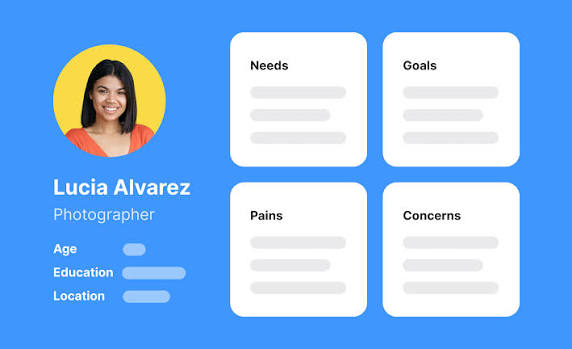
A basic user persona description is enough to keep design and feature decisions practical instead of guessing during the development of the application.
Step 2: Choose the Right Platform and Tech Stack
Development Approaches
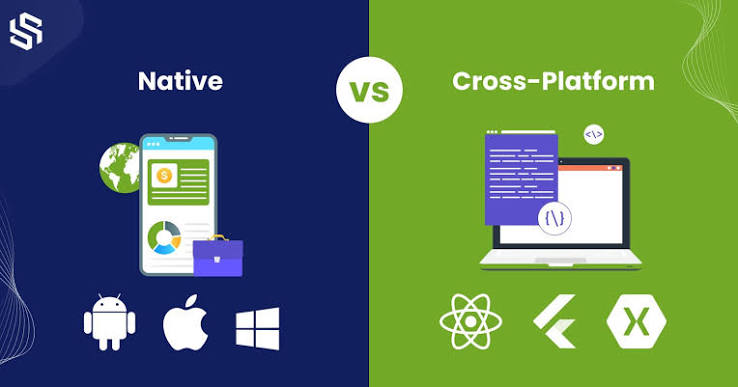
Native Development
Native development means building separately for iOS (Swift/Objective-C) and Android (Kotlin/Java). You get full access to platform-specific APIs and the best possible performance, but at the cost of maintaining two separate codebases.
Cross-platform development
Cross-platform development means writing one codebase that runs on both platforms, using frameworks like React Native, Flutter, or Ionic. You move faster, share logic between platforms, and cut development costs, with a small tradeoff in access to certain native-only features and, occasionally, raw performance for very graphics-heavy apps.
Selection Criteria
The choice of selecting the development approach depends entirely on the following factors:
- Budget and timeline: Cross-platform generally gets you to launch faster and cheaper.
- Team skill set: If your team already knows JavaScript/React, a framework like React Native has a much shorter ramp-up than learning Swift and Kotlin from scratch.
- App complexity: Apps leaning heavily on device hardware (advanced camera processing, AR, heavy animations) may still benefit from native.
- Code reusability: If you want to share business logic across web and mobile down the line, cross-platform frameworks make that far easier.
- Long-term maintenance: One codebase to maintain and update is significantly less overhead than two.
For a startup validating an idea, the fastest, cheapest path to a working product is usually the cross-platform method.
Step 3: Plan the Architecture and UI/UX
Wireframing and Prototyping
Wireframing and prototyping are the best ways to create how the minimum viable product is going to look and feel to the users. It makes selecting the main features and accessibility parts of the app. It generally should answer these questions.
- What screens exist, and how does a user move between them?
- Where are the core actions (sign up, checkout, post, search) positioned?
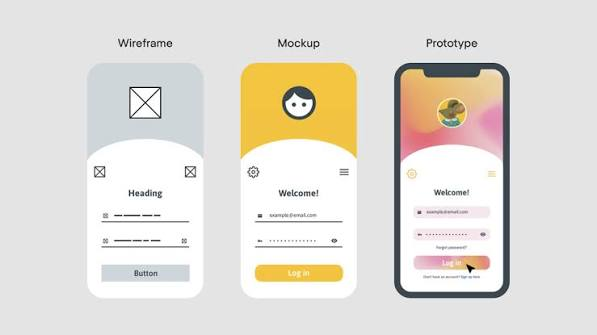
Tools like Figma can be used to create wireframes, low-fidelity and high-fidelity designs, and prototypes of the basic flow of the app.
Backend and Database Modeling
Backend logic is the core part of the mobile apps. It can make or break a smooth app. Some of the things included in planning the backend include
- Data model: What are your core entities (users, posts, orders, messages), and how do they relate to each other?
- Backend approach: Will you build a custom backend (Node.js, Django, etc.) or use a backend-as-a-service like Firebase or Supabase to move faster?
- Authentication and security: How will users sign in, and how will their data be protected?
- Scalability: Will your database structure hold up if your user base grows?
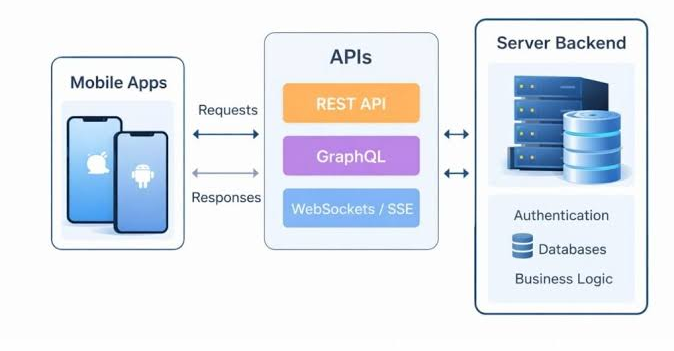
Properly planning the backend taking these things into consideration will make it easier to develop and deploy the app faster, with less time wasted on additional migrations and corrections.
Conclusion
Planning the app is an important part of building any mobile application. It will let us know the feasibility of the app with existing resources and help us build our application with clarity and confidence.