How to Fix a /home Redirect Issue in a React Application
In many React applications, developers accidentally create a situation where the homepage URL (/) redirects to /home. While this might seem harmless, it can cause:


In many React applications, developers accidentally create a situation where the homepage URL (/) redirects to /home. While this might seem harmless, it can cause:
- Duplicate URLs for the same page
- SEO issues
- Broken routing or 404 errors
This blog explains step by step how to fix this issue and ensure a clean URL structure.
Understanding the Problem
The goal is simple:
/should be the main homepage/homeshould not be used as the primary route
If / redirects to /home, it usually means:
- There is a forced navigation in the code
- Or the router is configured incorrectly
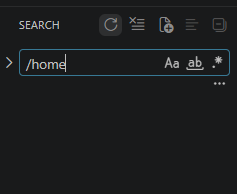
Step 1: Search for /home in Your Code
Open your project in your code editor and search globally:
/home
Look for anything like:
navigate("/home")<Navigate to="/home" />
Fix:
Replace all occurrences with:
navigate("/")
Step 2: Fix React Router Configuration
Check your routing setup (usually in App.jsx or App.js).
Incorrect setup:
<Route path="/" element={<Navigate to="/home" />} />
Correct setup:
<Route path="/" element={<Home />} />
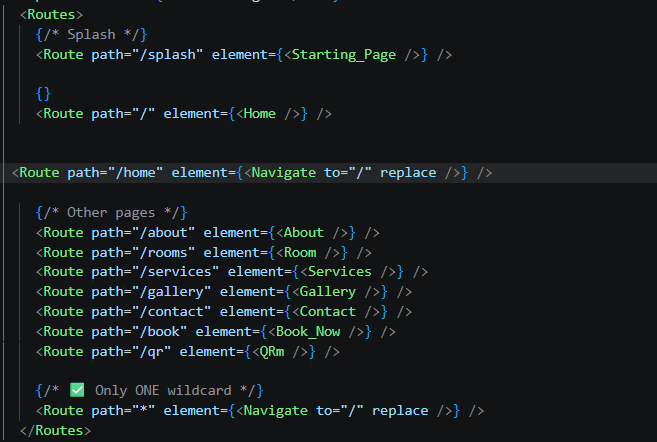
Step 3: Add Redirect for /home (SEO Cleanup)
To avoid duplicate pages, redirect /home back to /:
<Route path="/home" element={<Navigate to="/" replace />} />
This ensures:
- Users visiting
/homeare redirected to/ - Search engines only index one homepage
Step 4: Check Navigation Links
Make sure all navigation links point to / instead of /home.
Avoid:
<Link to="/home">Home</Link>
Use:
<Link to="/">Home</Link>
Step 5: Check for Automatic Redirects
Look for any automatic redirects in components, such as:
useEffect(() => {
navigate("/home");
}, []);
Fix:
useEffect(() => {
navigate("/");
}, []);
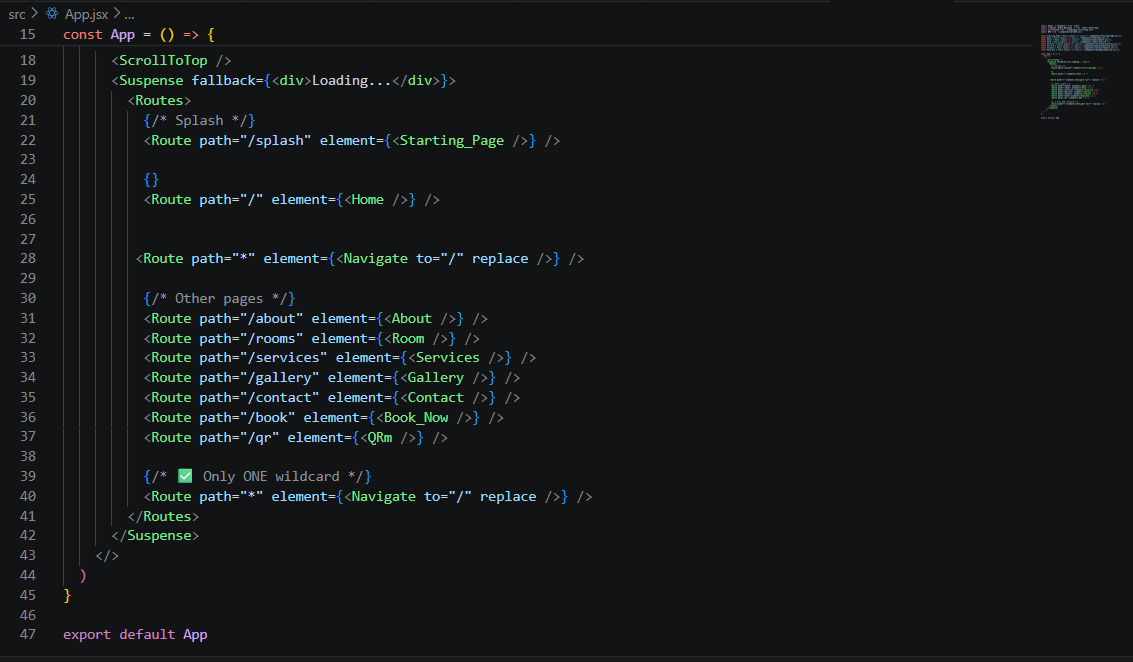
Step 6: Remove Duplicate Routes
Avoid having multiple wildcard routes like:
<Route path="*" element={<div>404</div>} />
Keep only one fallback route:
<Route path="*" element={<Navigate to="/" replace />} />
Step 7: Test Using Browser DevTools
Open your browser and:
- Press F12
- Go to the Network tab
- Reload the page
Check if there are any:
301or302redirects
If not, the issue is likely in the frontend code.
Step 8: Deploy Your Changes
Fixing the code locally is not enough. You must:
- Commit your changes
- Push to your repository
- Deploy the updated version
Otherwise, the live site will still show the old behavior.
Final Result
After applying these steps:
/loads the homepage correctly/homeredirects to/- Clean and consistent URL structure
- Improved SEO
Conclusion
Fixing a /home redirect issue requires checking:
- Routing configuration
- Navigation logic
- Component behavior
By systematically reviewing each part of the application, you can ensure a clean and professional URL structure.