UI vs UX: Understanding the Real Difference
UI design focuses on the look and feel of a digital product, crafting the visual and interactive elements users engage with. UX stands for user experience, which refers to the entire user journey, from the first interaction to the final outcome.


In the world of digital product design, the terms UI and UX often go hand in hand, but they are not the same. In digital design, user interface (UI) refers to the interactivity, look, and feel of a product screen or web page, while user experience (UX) covers a user’s overall experience with the product or website.
UX (User Experience) and UI (User Interface) design play distinct but complementary roles, and it is important to understand the differences between them to create effective designs that meet users’ needs.
What is User Interface (UI)?
UI design focuses on the look and feel of a digital product, crafting the visual and interactive elements users engage with. The UI designer’s attention is always on the top layer of the product in question, such as buttons, icons, images, color schemes, and other elements users will come in contact with.
To create engaging UI, designers consider these four key elements:
- Page layout. Ideally, the organization of a web page or mobile app screen should seem intuitive to users. UI designers should make well-considered decisions from the header position to the content prioritization.
- Color scheme and font selection. UI designers carefully choose the colors and fonts on a digital product interface for consistency and accessibility.
- Interactive elements. From button designs to drop-down menus, UI designers' style digital product screens to make user flows intuitive.
- Wireframe and prototype fidelity. UX designers often put together basic wireframes and prototypes. UI designers can help transform them into high-fidelity, functional, interactive product mockups.
What is User Experience (UX)?
UX stands for user experience, which refers to the entire user journey, from the first interaction to the final outcome. They develop wireframes and prototypes to map the user flow and validate concepts through usability testing, ensuring the design meets user expectations.
- User Research: Involves gathering insights through surveys, interviews, and observations to understand user needs and behaviors.
- Usability Testing: Testing different aspects of the product with real users to identify pain points and areas for improvement.
- Wireframing and Prototyping: Creating simplified outlines and interactive models of the product to test ideas before full-scale production.
- Accessibility: Ensuring the product is usable by people with a wide range of abilities, enhancing overall user accessibility.
UX vs. UI
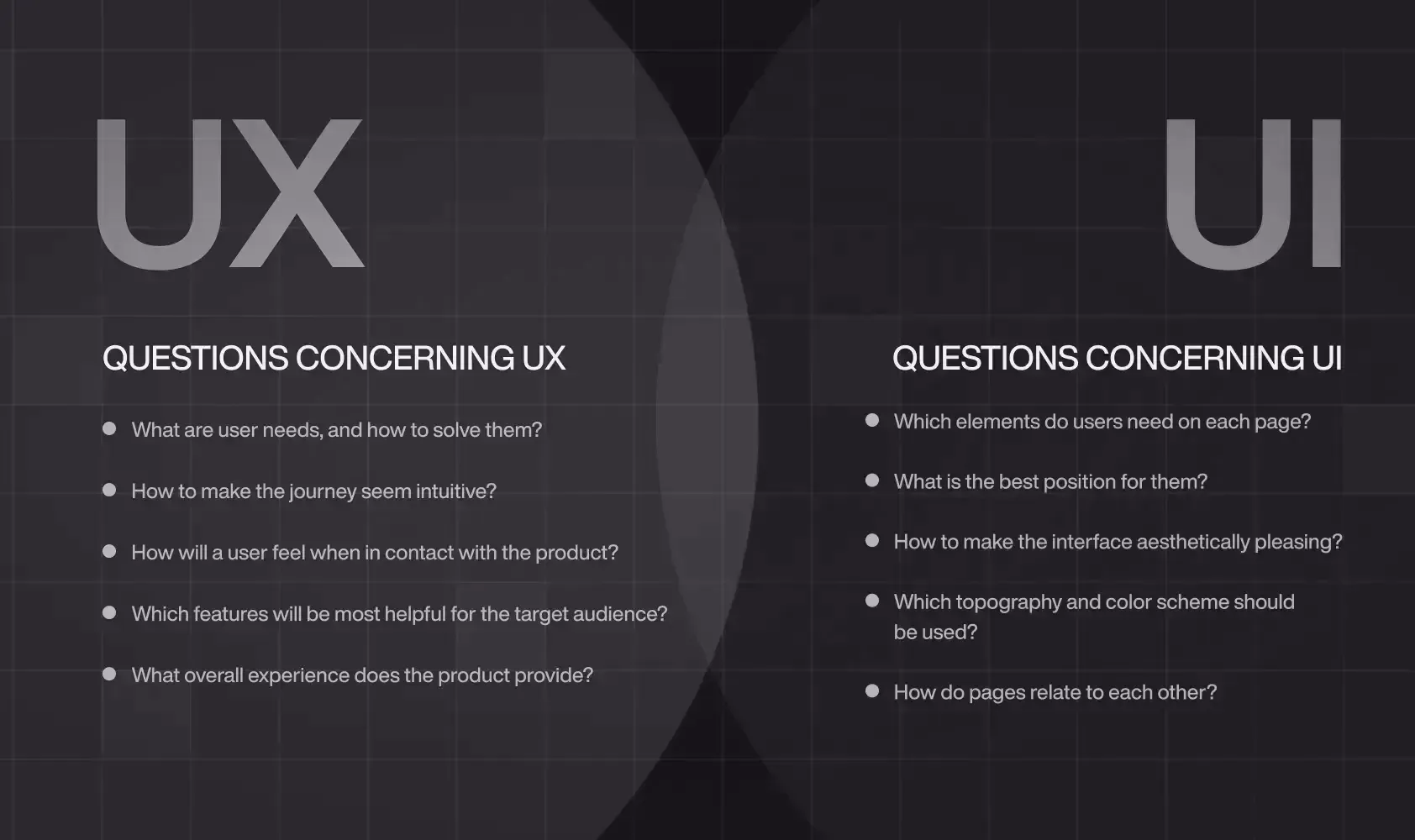
- UX design is all about identifying and solving user problems; UI design is all about creating usable and intuitive product.
- UX design usually comes first in the product development process, followed by UI. The UX designer maps out skeleton of the user journey; the UI designer then fills it in with visual and interactive elements.
- UX involves conducting user research, defining information architecture, creating wireframes, and usability testing; UI involves designing the layout, functionality, and visual aspects (e.g. color, icons, typography) of each screen.
Example: Food Delivery App
The UX Focus
- It involves easy restaurant search/filtering, accurate tracking with live maps, transparent delivery timing, and a smooth reordering process.
- UX is the logic behind showing "Restaurants Near You" first and saving your past orders.
 Shreya Khatri
The UI Focus
- It involves attractive food photography, the clean card layout for each restaurant, the intuitive icon for a shopping cart, the satisfying animation when you add an item, and the brand's distinctive color palette.
- UI is the visual appeal that makes browsing enjoyable.
How UX and UI work together
While UI and UX are different, they complement each other.
- UX ensures your product works for real users
- UI ensures users trust, enjoy, and return to it
Imagine filling out a job application on a site that’s super clear about what to do next (great UX), but the form fields are tiny, the text is hard to read, and the buttons are barely clickable on mobile. It gets the job done but it’s frustrating and user may never return to it. Hence why both needs to work together to create a product that meet users need.
- User-centered design expertise. Both disciplines require designers to develop empathy for the end user and consider how users want to use a product or site.
- Cross-functional teams. Designers working on UI and UX must collaborate closely with graphic designers and developers to make products and sites appealing, accessible, and usable.
- Design tools. UX and UI designers use many of the same tools, such as Figma’s design system software , prototyping tool, UI design tool and UX design tool.
Even though as we've established UI/UX are separate field, why is it that so many job ads ask for UX/UI designers in one? Many companies will deliberately seek out versatile designers who can cover both UX and UI or who at least have an understanding of UX or UI principles in addition to their main skillset. Hence, it is important to understand UI/UX separately so that we can integrate them to work better.